
Audio workflow
Batch separate songs into audio stems
Drop several audio files into Sattari Stem Separator, choose the stem types once, and start the queue. Tracks process one after another on your device. Download individual WAVs, one track's ZIP, or a ZIP of completed tracks before leaving.
Start a stem batch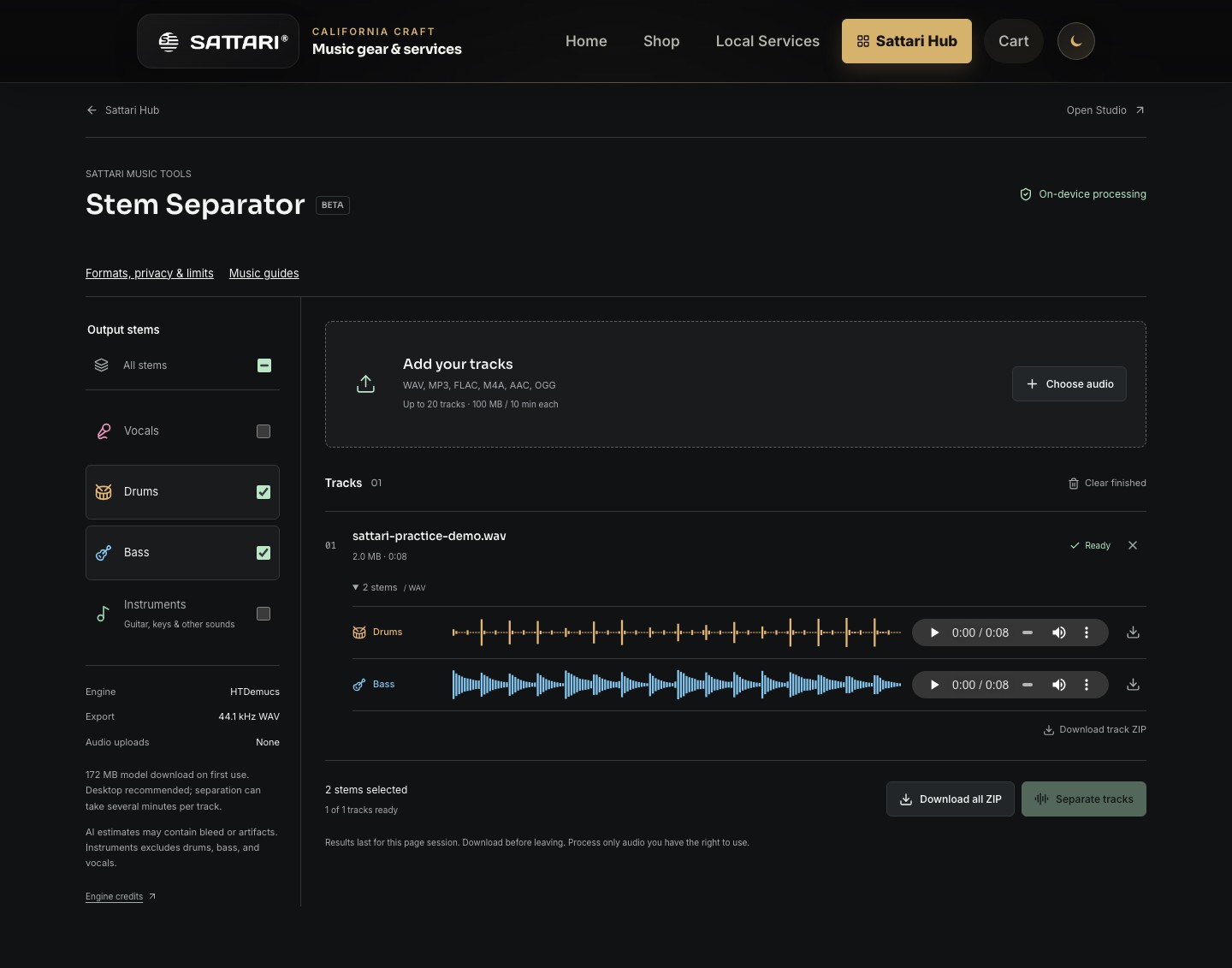
A queue, not twenty simultaneous jobs
Batch separation saves you from starting every file manually. Add the songs, choose the outputs and let the queue work sequentially. The selected outputs apply to the tracks in that run; this is not a separate instrument preset for every queued song.
The current limits are 20 queued tracks, 100 MiB per source file, 300 MiB of source files in total and ten minutes per track. Input audio must be mono or stereo. Output is 44.1 kHz stereo, 32-bit floating-point WAV, even when the input is a compressed format such as MP3.
Prepare a manageable batch
- Begin with one short file to check that your browser can decode it and run the model. Desktop use is recommended; device memory and available acceleration affect performance.
- Name the source files distinctly so their downloads are easy to recognize. Add your remaining files within the queue and size limits.
- Select Vocals, Drums, Bass, Instruments or all four. Instruments contains remaining sounds such as guitar and keys, not the entire non-vocal mix.
- Start separation and keep the page open. The initial model download is approximately 172 MiB; a later run can reuse the model when the browser cache is available.
- Preview completed stems, download them and clear completed tracks when needed. Check any failed file individually before trying it again.
Why a small MP3 can make a large result
Compressed input size does not predict the memory needed for uncompressed WAV stems. Four stereo outputs can take much more space than one MP3. Sattari caps retained results at 512 MiB; this is not a guarantee that every device can comfortably handle a batch near that limit.
When the output budget is reached, download and clear completed tracks before continuing. Selecting fewer stems reduces retained output, but the separation model still calculates all four source groups internally. It does not become a vocals-only or bass-only model.
Local processing, temporary results
The separator processes your source audio on your device rather than uploading it for separation. The app still needs network access to load and to download its model from Hugging Face. Normal hosting requests are distinct from sending a song to a processing service.
The current tool is free and does not require sign-in. CPU processing can be slow, and GPU acceleration is attempted only where available. There is no all-browser speed guarantee. Results last for the current page session, so a cached model is not a backup of your songs or stems.