
Stem separation
How to separate vocals, drums, and bass from a song
Open Sattari Stem Separator, add an audio file, select the parts you need, and start separation. Preview each result, then download the WAV files or ZIP before leaving the page. Processing happens on your device.
Open Stem Separator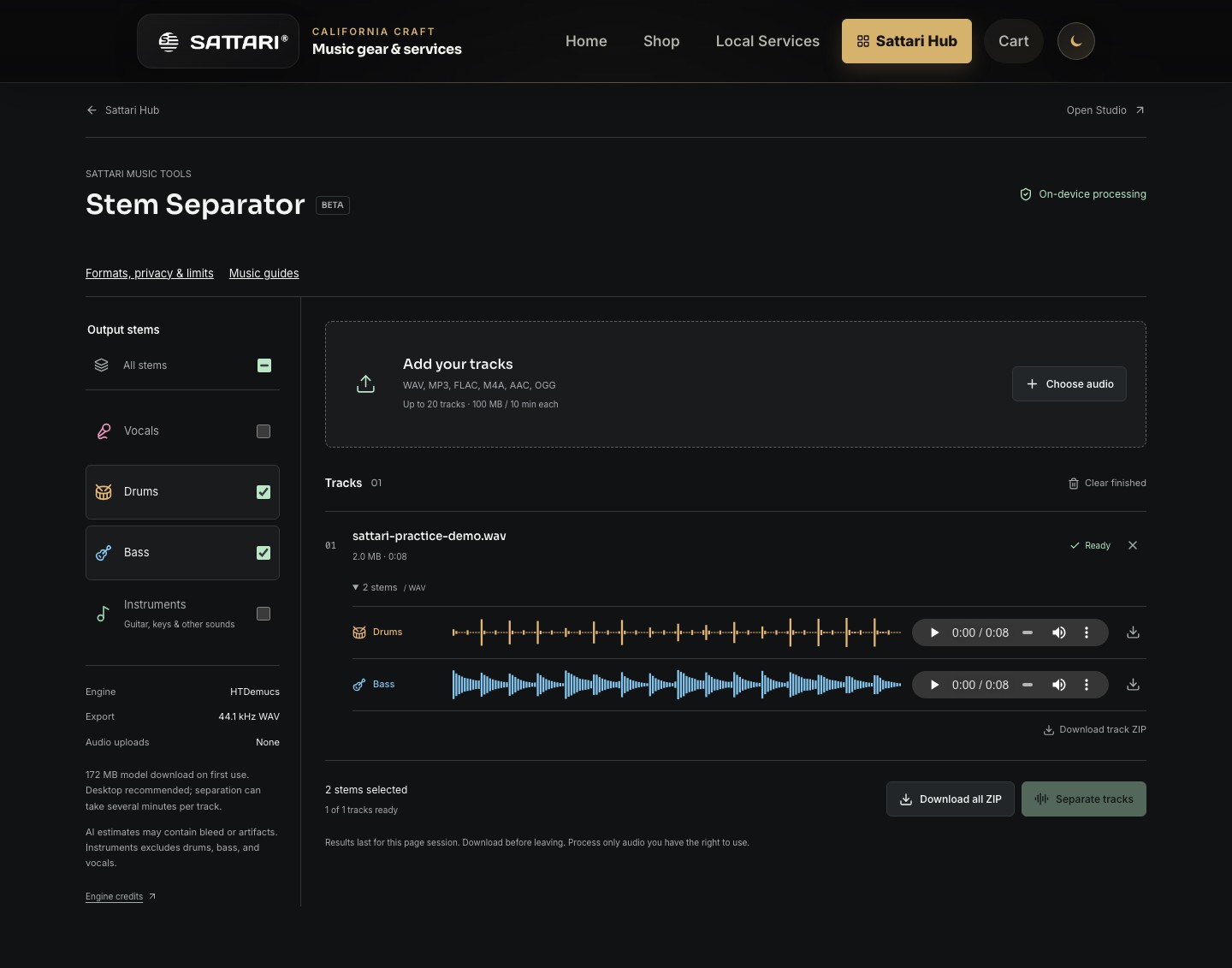
Start with a usable source
Use a song you own or have permission to process. Choose a clean export from the original recording when possible. A heavily compressed, distorted or reverberant mix gives the separator less clear information to work with. Renaming a file extension does not convert its audio format.
The picker accepts WAV, MP3, FLAC, M4A, AAC and OGG, but your browser must be able to decode the actual codec. If a file fails, export a PCM WAV from your audio software. Streaming-service links and protected downloads are not supported.
Choose the parts, then run the batch
- Add one file or several files. The queue allows 20 tracks, 100 MiB per file and 300 MiB of source files in total. Each track must be ten minutes or shorter.
- Select Vocals, Drums, Bass, Instruments, or All stems. Instruments means the remaining sounds such as guitar and keys; it does not include the bass or drums.
- Select Separate tracks. The first run downloads an approximately 172 MiB model. Keep the page open while tracks process one after another.
- Listen to each stem. Download individual 44.1 kHz WAV files, a track ZIP, or a ZIP of all completed tracks. Save results before navigating away.
Make a backing track without the vocal
Select Drums, Bass and Instruments. Import those three WAVs into separate Studio lanes and align their starts. Together they form an estimated non-vocal backing track. Downloading Instruments alone will omit the drum and bass parts.
Choosing fewer outputs reduces the amount of result audio retained in memory. It does not make the underlying model compute only those instruments. If results fill the 512 MiB output budget, download and clear completed tracks before continuing.
Listen for the limitations
These are estimates extracted from a finished mix, not the original recording-session tracks. Listen for vocal leakage, softened drum attacks, missing harmonics and watery tails. Check important passages against the full song instead of assuming a soloed artifact was played by the musician.
Desktop use is recommended. GPU acceleration is attempted where available, with a CPU fallback during initialization. CPU processing can be much slower than real time. No speed or perfect-isolation guarantee applies to every browser or track.
Hear the actual separated results
An original eight-second synthesized groove in A minor at 120 BPM, with no vocals. The bass and drums below are unedited HTDemucs estimates, not the clean synthesis sources. Listen for leakage, the start of each note and how long it rings out. This short example demonstrates the workflow, not the quality you can expect from every song.
Original mix
Download original mix WAVBass estimate
Download bass estimate WAVDrum estimate
Download drum estimate WAVCount four steady beats, then try matching the bass note lengths. Import these WAVs into Sattari Studio to hear them together, or separate your own recording.